
How to Enter Fuel
Log every fuel stop. OTR tracks your MPG, cost per mile, and total fuel spend so you know exactly what fuel is costing you and whether your truck is performing. A driver who knows his MPG knows where his money is going.
The Fuel Summary Page
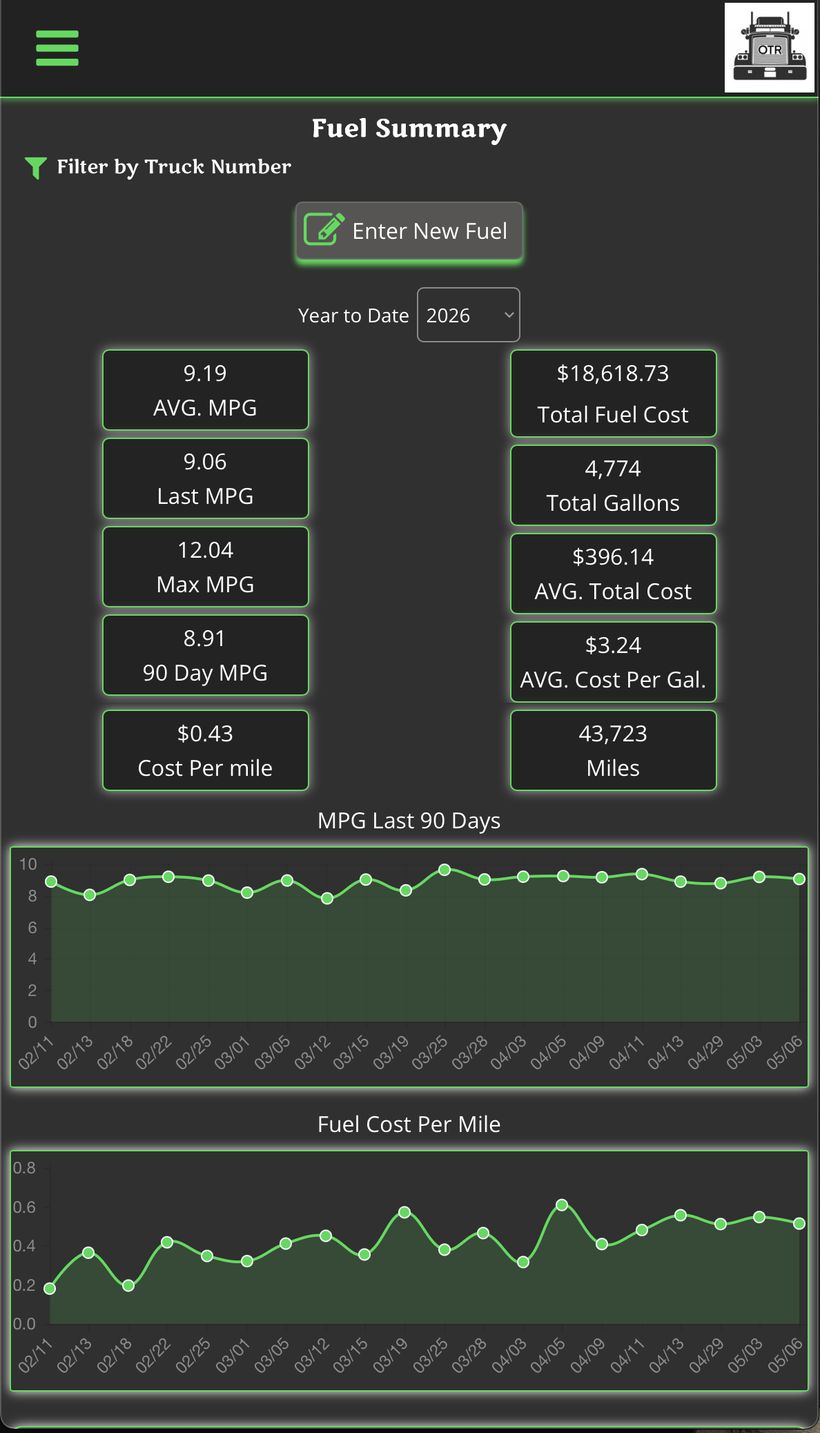
Your fuel dashboard at a glance
Tap Fuel in the sidebar to see your full fuel history and performance stats for the year.
- AVG. MPG — Your average miles per gallon across all logged fuel stops for the year.
- Last MPG — MPG from your most recent fuel entry.
- Max MPG — Best MPG you've hit all year — useful benchmark.
- 90 Day MPG — Rolling 90-day average — more current than the full-year number.
- Cost Per Mile — How much fuel costs you for every mile driven.
- Total Fuel Cost — All fuel dollars spent year to date.
- Total Gallons — Total gallons pumped for the year.
- AVG. Total Cost — Average cost per fuel stop.
- AVG. Cost Per Gal. — Average price per gallon across all stops.
- MPG Last 90 Days — Line chart showing your MPG trend. Downward trend means something changed — check tire pressure, routes, or idle time.
- Fuel Cost Per Mile — Line chart of your cost per mile over time.
Your Fuel Entry List
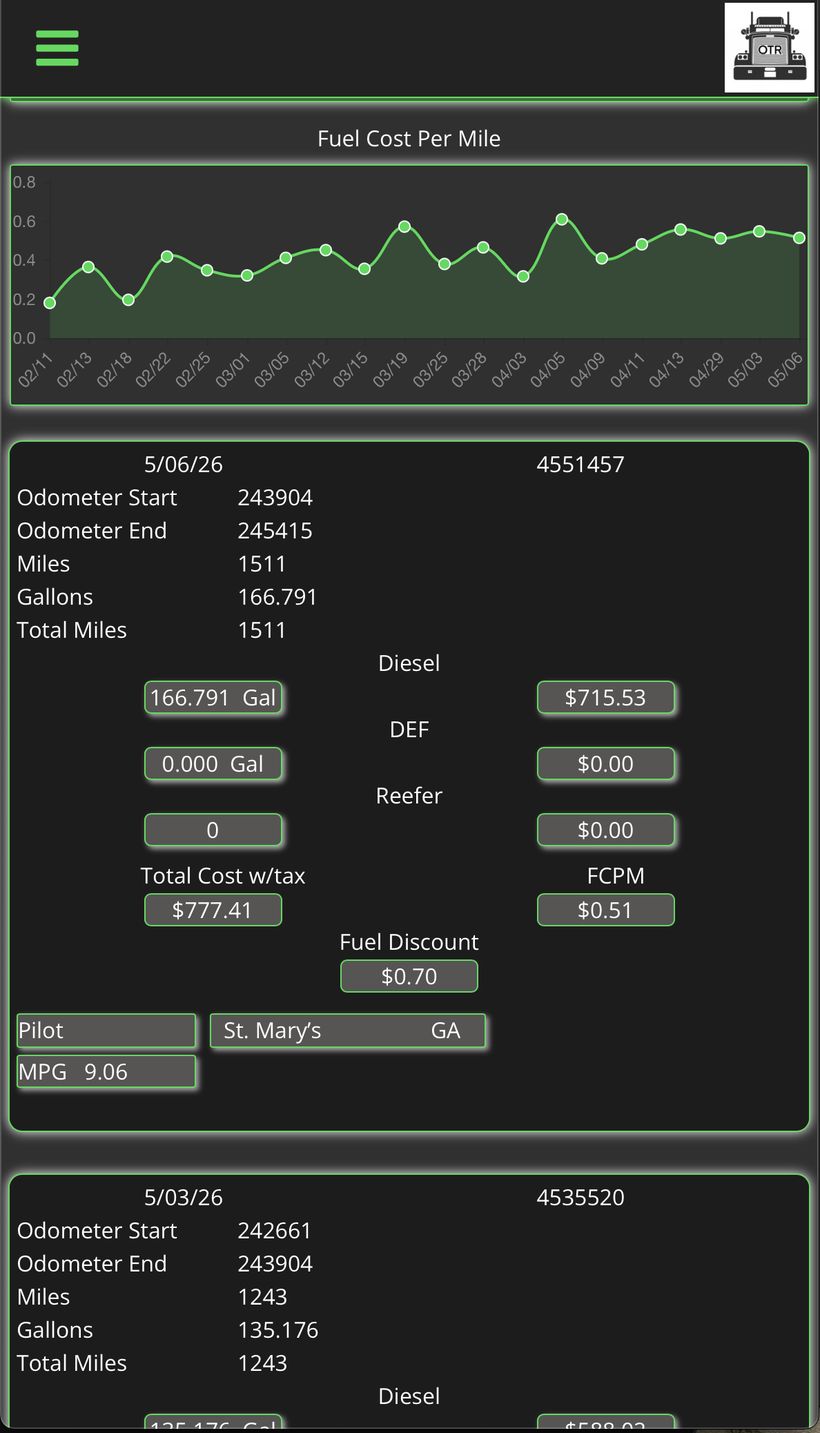
Each fuel stop is logged as a card below the charts
Scroll down past the charts to see all your individual fuel entries. Each card shows the key details from that stop.
- Date / Trip # — When the stop happened and which trip it's tied to.
- Odometer Start / End — Used to calculate miles driven since last fill-up.
- Miles — Distance driven on this tank.
- Gallons — How many gallons pumped (Diesel, DEF, Reefer shown separately).
- Total Cost w/tax — Full amount paid at the pump including tax.
- Fuel Discount — Any discount applied — TCH, EFS, or fleet card savings.
- FCPM — Fuel cost per mile for this specific stop.
- Pilot / St. Mary's / GA — Truck stop name, city, and state where you fueled.
- MPG — Miles per gallon calculated from this fill-up.
Truck Number Filter
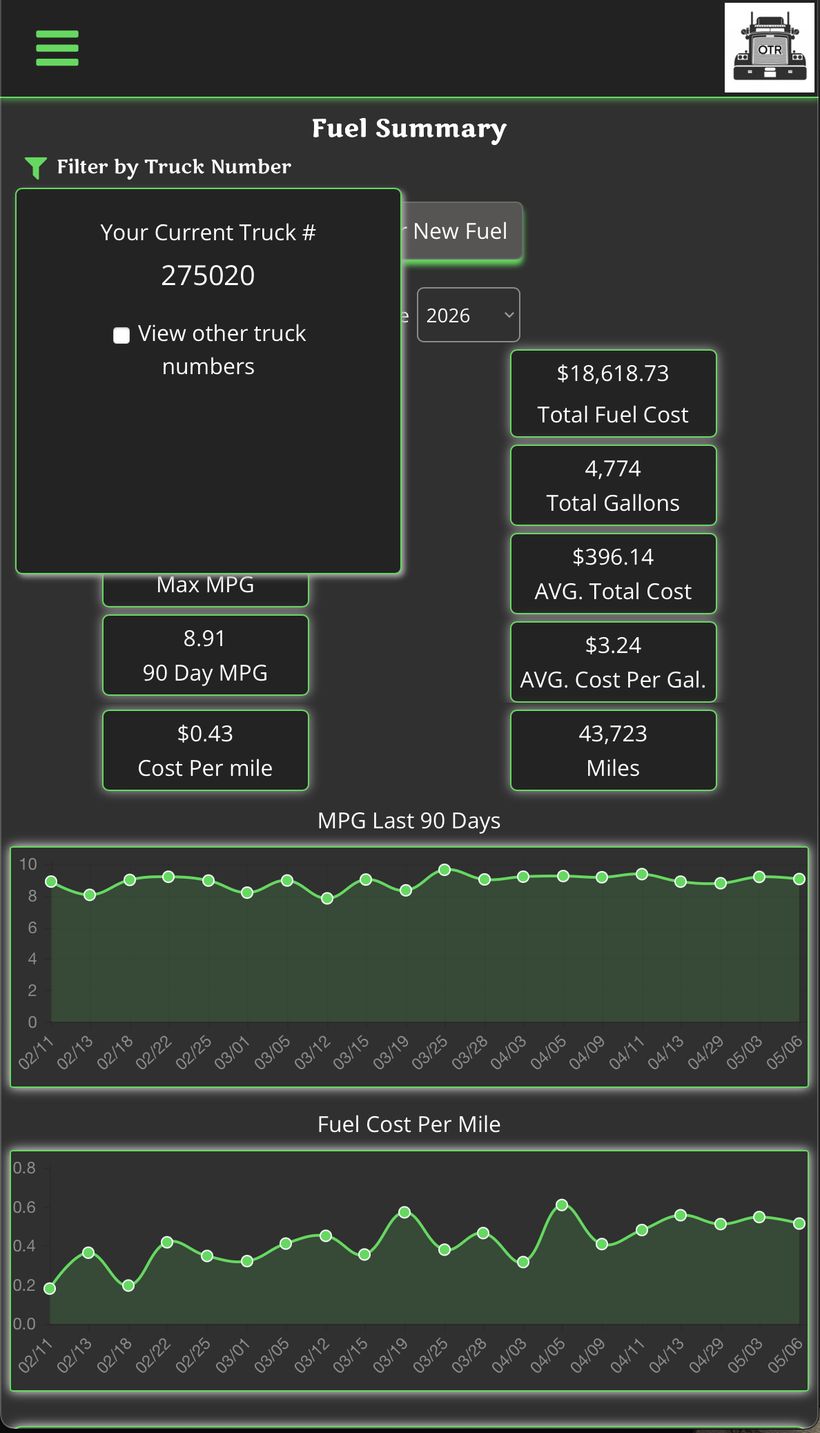
Filter by Truck Number
If you run multiple trucks, tap the filter icon at the top to switch between truck numbers and see fuel stats for each one separately.
Tip: Running one truck?
Your number will already be selected — no action needed.
Entering a New Fuel Stop
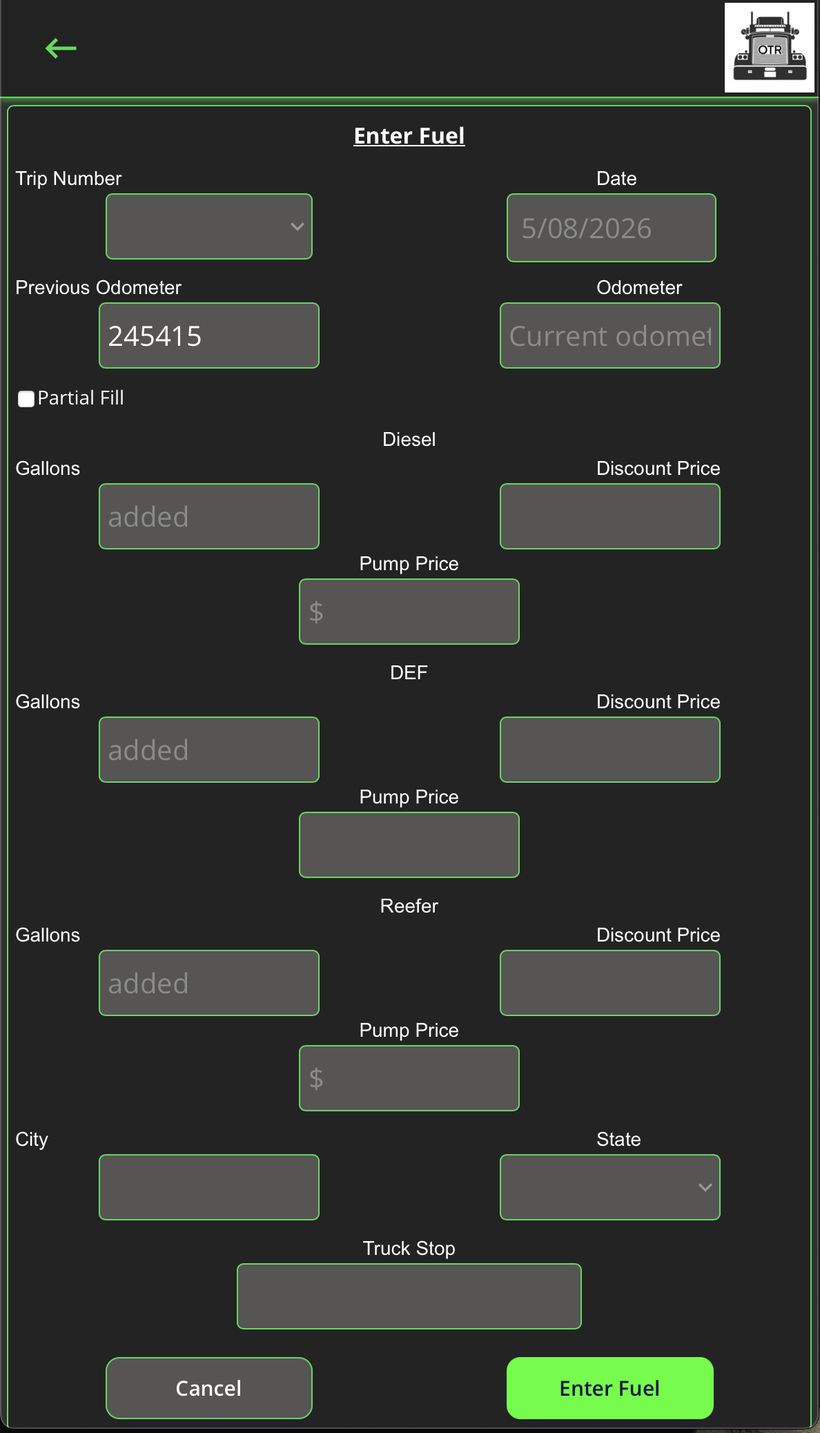
Tap "Enter New Fuel" to log a stop
Fill this out right at the pump or immediately after. The more accurate your entries, the more accurate your MPG and cost numbers will be.
- Trip Number — Select the trip this fuel stop belongs to from the dropdown.
- Date — Auto-fills to today — change if entering after the fact.
- Previous Odometer — Auto-fills from your last entry — verify it's correct.
- Odometer — Your current odometer reading at this fuel stop.
- Partial Fill — Check this if you didn't fill the tank all the way — OTR won't calculate MPG on a partial fill since the number would be off.
- Diesel — Gallons — Total gallons of diesel pumped.
- Diesel — Discount Price — Price per gallon after your fleet discount.
- Diesel — Pump Price — Price per gallon on the pump before discount.
- DEF — Diesel exhaust fluid — gallons and price if you added any.
- Reefer — Reefer fuel — gallons and price if applicable.
- City / State — Where you fueled — important for IFTA reporting.
- Truck Stop — Name of the fuel stop (Pilot, Love's, TA, etc.).
Tip: Tap "Enter Fuel" when done.
OTR calculates your MPG and updates all your fuel stats automatically.
Editing a Fuel Entry
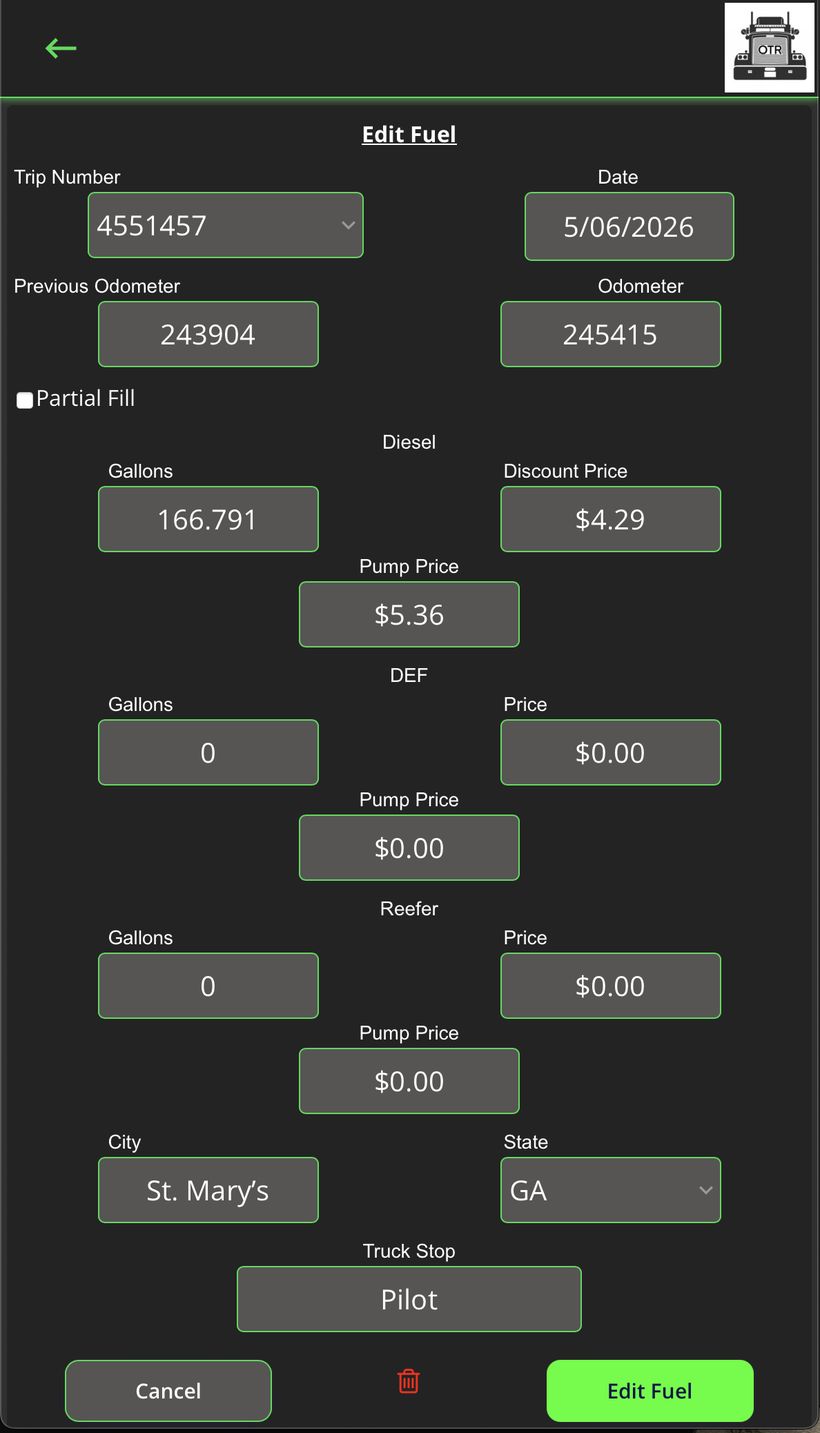
Tap any fuel card to edit it
Made a mistake? Tap the fuel entry in your list to open the Edit Fuel form. All fields are editable. Tap "Edit Fuel" to save your changes, or the trash icon to delete the entry.
Tip: Always double-check your odometer readings.
A wrong odometer entry will throw off your MPG for that stop and skew your 90-day average.
OTR On The Revenue — Built for drivers who run their truck like a business. | ontherevenue.com