
Upload Your Settlement Instead of Typing It In
The Settlement Uploader lets you skip typing your weekly settlement into OTR line by line. Upload the PDF your carrier sends you, and OTR reads it, sorts it into your categories, checks the math, and builds the settlement record for you — same as if you'd entered it by hand in Settlements.
You'll find it on the Settlements Summary screen, right next to Enter New Settlement.
Carrier scope
Right now, the Uploader only works for select carriers. Every driver picks their carrier once, the first time they log into OTR — that one-time choice is what determines which buttons you see here and in a few other spots in the app. If your carrier isn't supported yet, see "If Your Carrier Isn't Supported Yet" below.
STEP 1
Step 1 — 1 Open the Uploader
From the Settlements Summary screen, tap Upload a Settlement.
This button only shows up for drivers running with a carrier the Uploader currently supports. It sits right below Enter New Settlement.
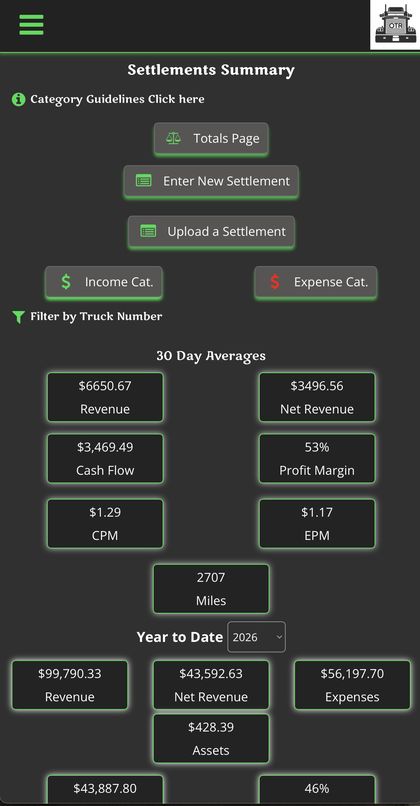
Settlements Summary — Upload a Settlement sits under Enter New Settlement
STEP 2
Step 2 — 2 Fill In and Process
| Click to upload a file | Your settlement PDF, uploaded exactly as your carrier sent it — no cropping or editing needed. Must be a PDF. |
|---|---|
| Days Out | How many days you were out on the road for this pay period |
Tap Process Settlement and OTR takes it from there — reading the PDF, matching each line item to your categories, and checking its own math against the totals on the sheet before saving it as a finished settlement.
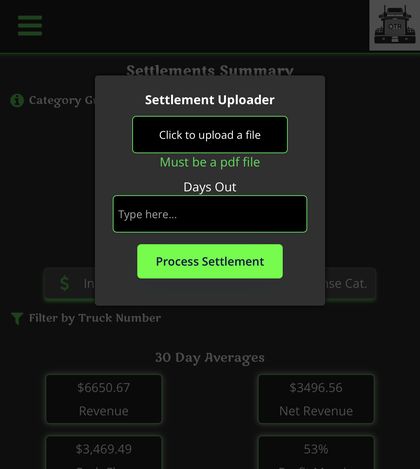
Settlement Uploader popup
Having an issue?
If something looks off after an upload, reach out to support@ontherevenue.com and it'll get sorted out.
CARRIER NOT SUPPORTED
If Your Carrier Isn't Supported Yet
If your carrier isn't supported yet, you won't see Upload a Settlement. Instead, the Settlements Summary screen shows New Settlement Uploader Feature with a Request This Feature button in that spot.
Tapping it opens a quick popup asking if you want to help get your carrier supported. Tap Yes, I'm Interested to let us know.
What happens next This isn't just a suggestion box — it's the first step toward building settlement parsing for your carrier. The more we hear from drivers on a given carrier, the sooner it gets built.
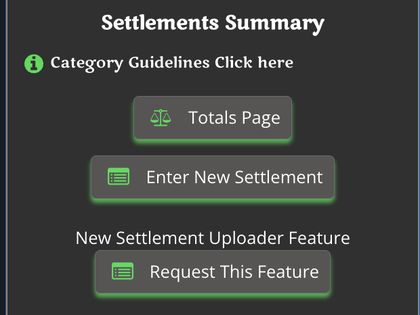
Drivers on an unsupported carrier see this instead
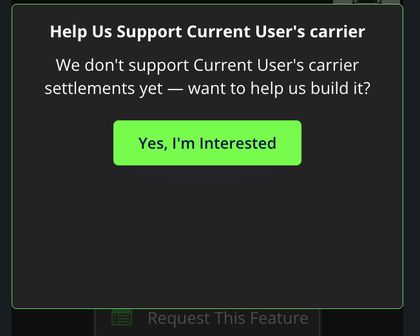
Tap Request This Feature to open this
FREE UPLOADS / PLANS
Free Uploads & Plans
Every driver starts with 4 free settlement uploads per month. Once you've used all 4, uploading a 5th settlement in the same month sends you to a plan picker instead of processing it.
| Plan | Price | Uploads / Month |
|---|---|---|
| OTR Plus | $5/mo | 20 |
| OTR Pro — Most Popular | $10/mo | 40 |
| OTR Ultimate | $15/mo | 175 |
All three plans can be canceled anytime. Your 4 free uploads reset at the start of each month regardless of which plan you're on.
Pricing and upload counts shown are current as of this guide's last update and may change. These allotments may also end up shared across other AI-powered features down the road rather than being specific to settlement uploads.
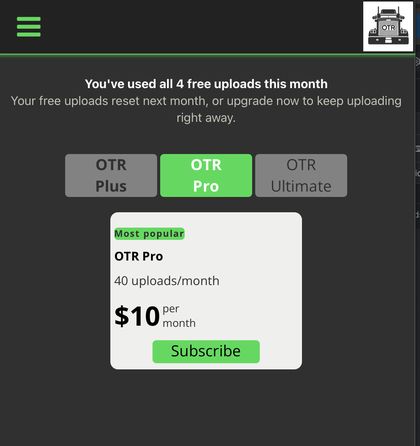
What you see after your 4th free upload
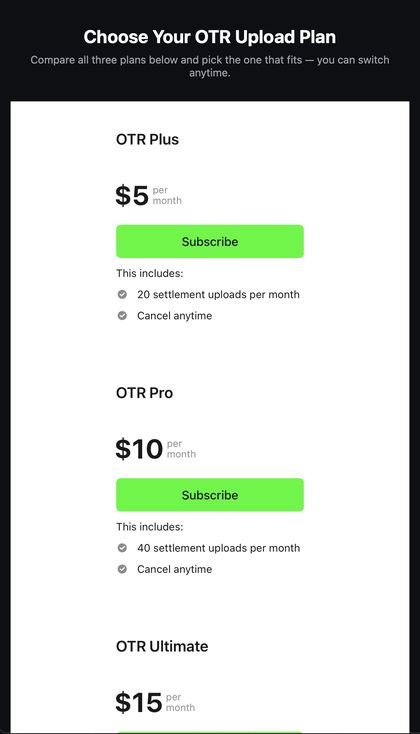
Full plan comparison
OTR On The Revenue ·
Know your numbers. Own your business.